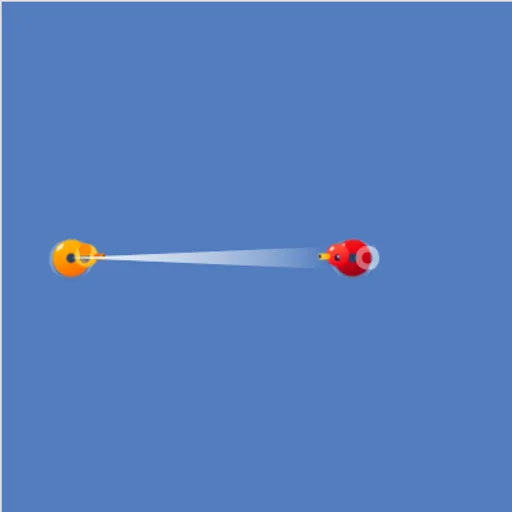
Block Code Duck Pond is a coding game set in a pond full of rubber ducks. Your orange duck can swim, scan and fire a cannon, and you control all of it with a program. The goal is to write code that knocks out each opponent duck, first with blocks and then in real JavaScript.
How Block Code Duck Pond Works
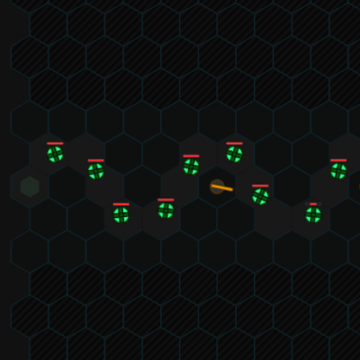
The pond sits on the left with your duck and a rival. Health bars underneath track damage. Block levels let you snap together commands like cannon, scan and swim, and text levels have you type the same commands into an editor.
Press Run Program and your duck follows the code in real time. When the rival’s health reaches zero, you see the JavaScript behind your program and move on.
There are five challenges, each played twice. The first needs one well-aimed shot. Then come a target that takes many hits, a moving duck you track with scan, a distant duck you swim toward, a level where you stop before contact, and an opponent that runs when hit.
Your First Few Minutes
- Look at where the rival duck sits compared with yours.
- Open the Documentation panel to see the compass and commands.
- Drag a cannon block in and set its angle and range.
- Press Run Program and watch where the shot lands.
- Adjust the numbers, then try the typed version on the next level.
Controls for Block Code Duck Pond
| To do this | Keyboard | Mouse | Touch screen |
|---|---|---|---|
| Build a program (block levels) | not used | Drag blocks from the Pond and Math categories | Drag blocks with your finger |
| Write a program (JavaScript levels) | Type in the code editor | Click in the editor to place the cursor | not used |
| Set an angle or a number | Type the number and press Enter | Click the value and type a new one | Tap the value |
| Run or reset the battle | not used | Click Run Program, then Reset | Tap Run Program, then Reset |
| Look up the commands | not used | Click Documentation | Tap Documentation |
What It Trains
Here you practice real coding ideas. You use while loops to keep firing and feed the result of scan into the cannon so a shot follows a moving target.
There is plenty of math too. You work out angles, where 0 degrees is right and 90 is up, and compare distances against the cannon’s 70-meter reach.
Strategy Notes
- Sketch the angle first. Straight up is 90 degrees and straight right is 0.
- Use scan as the range. Passing scan(angle) to the cannon keeps shots on a moving duck.
- Loop your attack. One shot rarely wins, so wrap firing in while (true).
- Mind your health. Bumping into a duck hurts you as well.
- Check the docs for late levels. loc_x, loc_y, speed and health help with the last fights.
Good to Know
Block levels work with touch, but the JavaScript levels need a keyboard, so a computer is best. The typed levels have a code editor with line numbers and syntax coloring.