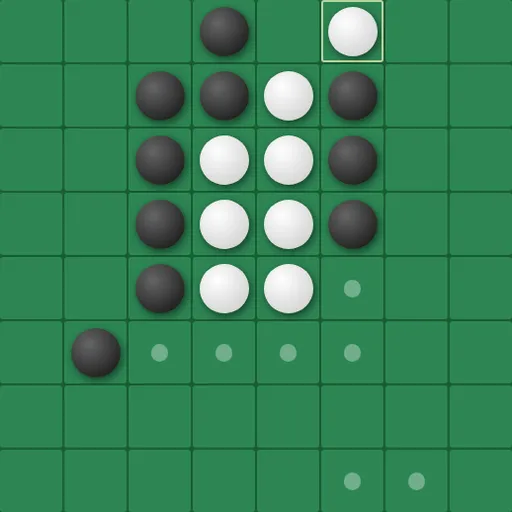
Universal Reversi is a two-color disc game where you capture by sandwiching. Place a disc so a row of enemy discs sits between it and one of yours, and that row turns your color. Here the board has no borders at all: a line that leaves one side reenters on the other. Your goal is to own more discs than your rival when nobody can move.
How Universal Reversi Works
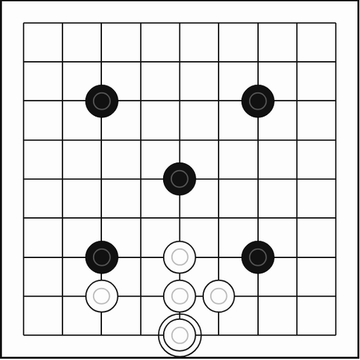
Four discs sit in the center at the start, two black and two white on the diagonals. On each turn you must flip at least one enemy disc, and you may flip lines in any of the eight directions at once. A line can run straight across an edge and keep going on the opposite side.
Dots mark every legal spot for the player to move. If you have none, you pass and your opponent plays again. Once neither side can place a disc, the totals decide it.
The default setup has you as Black against the computer on an 8x8 grid, with Black going first. You can switch to 6x6 or 10x10 and choose among five computer levels, from Very Easy up to Extra Hard.
Your First Few Minutes
- Leave the default settings and make your first move on any dotted cell.
- Watch which discs change color, then look at how the computer answers.
- Use the arrow keys or PAN buttons to slide the board and see lines that cross an edge.
- Open Runtime Settings and raise the AI delay so each reply is easier to follow.
- When you feel ready, pick a harder level and press Reset Game.
Controls for Universal Reversi
| To do this | Keyboard | Mouse | Touch screen |
|---|---|---|---|
| Place a disc | not used | Click a cell marked with a dot | Tap a cell marked with a dot |
| Shift the view of the board | Arrow keys | Click the PAN arrow buttons | Tap the PAN arrow buttons |
| Start a new game and apply settings | not used | Click "Reset Game" | Tap "Reset Game" |
| Change players, board size or difficulty | not used | Use the Game Settings panel, then reset | Use the Game Settings panel, then reset |
What It Trains
Because the board wraps, you have to picture it as a loop rather than a square. Before you place a disc, you scan eight directions and remember that the far edge is right next to the near one. That stretches spatial thinking.
The strategy side is about options. You learn to ask how many moves your choice leaves your opponent, not just how many discs it flips this turn.
Strategy Notes
- Think in moves, not totals. In the opening, a position with more choices for you usually beats one with more discs.
- Corners are not shelters. On a wrapped board, a corner disc can be trapped from the opposite side, so check every line.
- Pan before big decisions. Shifting the view puts a wrapped line in one piece on screen, which makes flips easy to count.
- Read the dots while the AI thinks. They stay up during its turn and show which options it is weighing.
- Learn from slow replays. A two-second AI delay lets you trace exactly what each computer move flipped.
Good to Know
Universal Reversi runs in the browser on mouse, touch or keyboard, and the portrait layout suits a phone. A high-contrast mode turns the discs flat black and white with thick rings. The game is by Norbert Nopper under the MIT license, and we only removed off-site footer links.