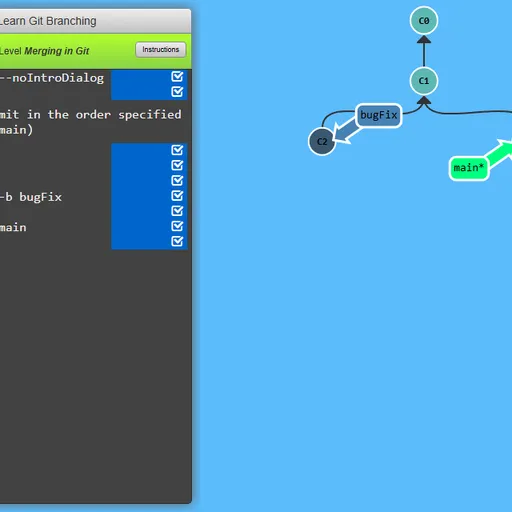
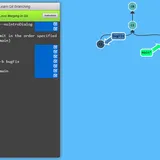
Learn Git Branching is a puzzle game that teaches version control by drawing it. A terminal sits on the left, and a diagram of commits and branches fills the rest of the screen. Your goal in each level is to type git commands until your tree matches the target shape.
How Learn Git Branching Works
Each level opens with a short lesson, often with an animated demo of the new command. Close it, then type something like git commit, git branch feature or git checkout main and press Enter. The circles and branch labels move to show the result.
A goal window shows the tree you need. Compare it with yours, hide it and keep working. Typing undo steps back one command, and reset restarts the level. Solved levels are remembered in your browser.
You get 36 levels in total. Twenty sit under Main, grouped into five sets that start with basics and end with advanced material. Sixteen more live under Remote and cover cloning, fetching, pulling and pushing. Type sandbox any time to experiment with no goal.
Your First Few Minutes
- Read the opening lesson and click through its demo.
- Type
git commitand press Enter, then watch a new circle appear. - Type
show goalto compare your tree with the target. - Keep typing commands until the trees match.
- Type
levelsto open the menu and pick the next puzzle.
Controls for Learn Git Branching
| To do this | Keyboard | Mouse |
|---|---|---|
| Type a command | Type anywhere on the page, then Enter | not used |
| Open the level menu and pick a level | Type levels, then arrow keys and Enter | Click a level number in the menu |
| Compare your tree with the target | Type show goal (or hide goal) | Click Show Goal on the level bar |
| Get a hint or read the lesson again | Type hint, or objective | Click Instructions on the level bar |
| Take back the last command | Type undo (or reset to start over) | not used |
| Page through a lesson or close it | Right arrow or Enter for next, Left arrow for back, Escape to close | Click the arrows or the check mark |
What It Trains
This is a coding game in a real sense. You learn what commands like branch, merge, rebase and cherry-pick do by seeing the tree change after each one.
It also trains logic and spatial reading. Before typing, you look at the goal, count commits and work out the shortest set of moves that gets you there.
Strategy Notes
- Find the asterisk. That mark shows where HEAD is, which is where your next commit goes.
- Use relative refs.
main^andHEAD~2beat reading commit IDs off the screen. - Read the goal shape. Copied commits point to rebase or cherry-pick, and a commit with two parents means a merge.
- Undo is cheap. Step back a command rather than restarting the whole level.
- Warm up in sandbox. A few free commands make later rebase levels clearer.
Good to Know
You need a physical keyboard, and the game itself warns that phones and tablets cannot take input. Progress is saved in your browser, and the language can be changed from the bottom corner. Peter Cottle created Learn Git Branching.