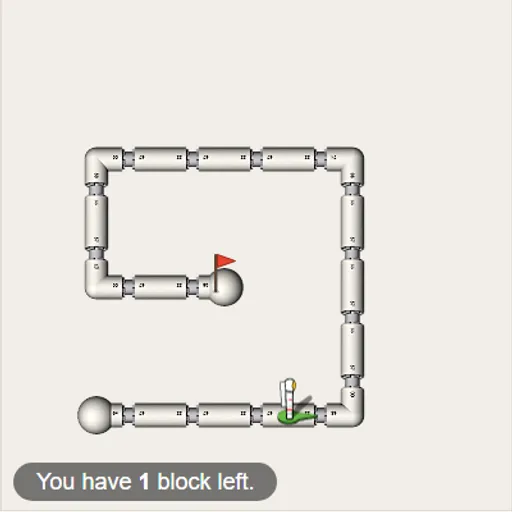
Block Code Maze is a beginner coding puzzle where you build programs from colored blocks instead of typing. Each program guides an astronaut through a network of white pipes. The goal is to reach the red flag on all ten levels, using loops and decisions as the mazes grow.
How Block Code Maze Works
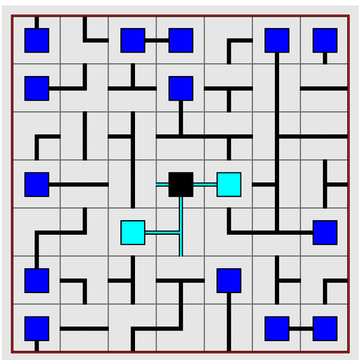
On the left you see the pipes, the astronaut and the flag. On the right are a gray toolbox and a white workspace. Pull blocks across and click them together in a column. The column, read from the top, is your program.
Run Program sends the astronaut through each block in turn. Reach the flag and a message reveals the JavaScript behind your stack, then OK moves you on. Hit a wall or stop early and you press Reset to try again.
New blocks arrive as you go. Loops let one short stack replace a long list of steps, and later mazes need blocks that test whether a path is open. Many levels also cap your block count.
Your First Few Minutes
- Trace the path from the astronaut to the flag with your eyes.
- Count the forward steps and turns you need.
- Drag move forward and turn blocks into the workspace in that order.
- Press Run Program and watch where the astronaut goes.
- If it misses, press Reset and fix the step that went wrong.
Controls for Block Code Maze
| To do this | Mouse | Touch screen |
|---|---|---|
| Add a block to your program | Drag it from the gray toolbox into the white workspace | Drag it with your finger |
| Join blocks | Drop a block just under or inside another until it clicks in place | Drop it under or inside another block |
| Remove a block | Drag it onto the trash can or back to the toolbox | Drag it onto the trash can |
| Change a direction in a block | Click the small drop-down arrow on the block | Tap the drop-down arrow |
| Run or stop the program | Click Run Program, then Reset | Tap Run Program, then Reset |
| Jump to another level | Click a dot or number at the top | Tap a dot or number |
What It Trains
The game teaches basic coding ideas in order: running steps one after another, repeating with loops and choosing with if blocks. You see a long list of steps shrink into one loop that does the same job.
It also trains spatial thinking. Turns are from the astronaut’s point of view, so you have to picture which way it faces at each step.
Strategy Notes
- Plan the path first. Tally the moves you need before dragging anything.
- Spot repeats. A pattern like forward, turn left belongs inside one loop.
- Read the block budget. A tiny allowance is a hint to use a loop or a check.
- Think from the astronaut’s view. When it walks down the screen, its left is your right.
- Follow one wall. In the last mazes, keep going forward and turn when a side opens.
Good to Know
Progress saves in your browser. Levels are short, so it fits well into a quick break. Seeing the generated JavaScript after every win is a gentle bridge to typed code.