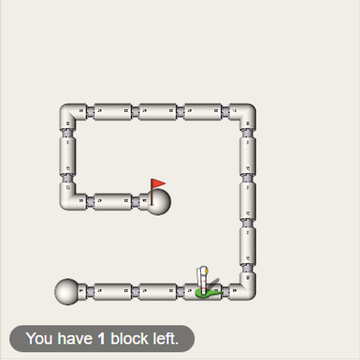
Robot Coder is a programming puzzle where you plan every move before anything happens. A robot waits on a grid next to colored items and matching targets. You line up a list of commands, press play, and the robot carries them out exactly, mistakes included. The goal is to bring each item to the target of its color.
How Robot Coder Works
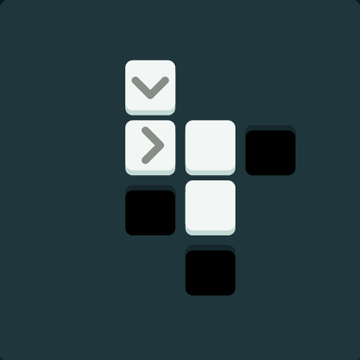
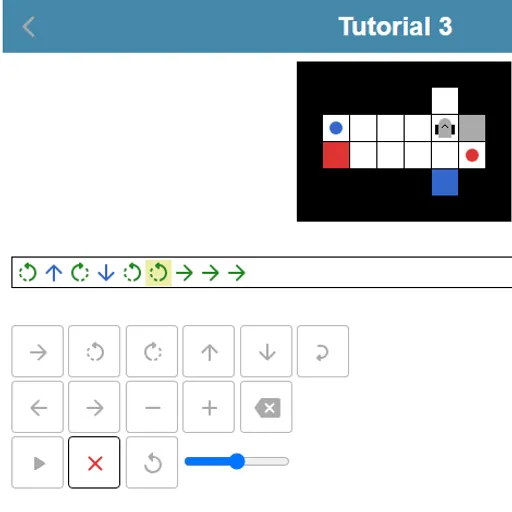
Your program is a row of symbols. The green arrow steps forward one square, the curved arrows turn on the spot, and the blue up and down arrows take or drop an item. The robot always acts on the square directly in front of it, so it has to face an item to pick it up.
The robot can carry one thing at a time. It may set an item down on an empty square and come back for it later. Once you hit play, you cannot edit a step, though you can cancel the run and reset the board.
A loop wraps part of the program and repeats it two to nine times. After three tutorials, four themed groups add 21 more levels as you progress. Solving five levels unlocks an editor where you build maps up to 10 by 10.
Your First Few Minutes
- Open the first tutorial and count the squares between the robot and the item.
- Add forward steps and turns until the robot faces the item, then add a take.
- Plan the trip to the matching target and finish with a drop.
- Press play and watch the highlighted symbol to follow each step.
- If it fails, read the message, reset and fix the step that went wrong.
Controls for Robot Coder
| To do this | Keyboard | Mouse | Touch screen |
|---|---|---|---|
| Add a step forward | Underscore (_) | Click the forward arrow key | Tap the forward arrow key |
| Turn left or right | < or > | Click a turn key | Tap a turn key |
| Take or drop an item | Up arrow (take), Down arrow (drop) | Click the up or down arrow key | Tap the up or down arrow key |
| Add a repeat loop | Type a number from 2 to 9, then + or - to change it | Click the loop key, then plus or minus | Tap the loop key, then plus or minus |
| Move the cursor or delete | Left/Right arrows, Home, End, Backspace | Click the left, right or delete keys | Tap the left, right or delete keys |
| Run the robot | Enter | Click the play button | Tap the play button |
What It Trains
This is real program design in miniature. You write a full sequence, predict its result, run it and debug it, which is the same loop programmers use. Spotting that “forward, forward, forward, forward” can be one loop is your first taste of making code shorter.
It also works spatial sense. After two left turns the robot faces backward, and you have to track that in your head.
Strategy Notes
- Map the path before typing. Count squares and turns on the board, keeping in mind the robot must face its target.
- Solve first, shorten later. Get any working program, then replay to swap repeats for loops and earn stars.
- Park items to open routes. Dropping one on a free square can clear the way and save a long detour.
- Slow the run to debug. The speed slider by the play button makes it easy to see which step breaks.
- Track facing direction. Turns rotate in place, so note which way the robot points after each one.
Good to Know
Every command has an on-screen key, so a phone held upright works well, and you can also use a real keyboard. Sound effects can be muted. Robot Coder was made by Schnark for js13kGames 2018 and is released under the Apache-2.0 license.