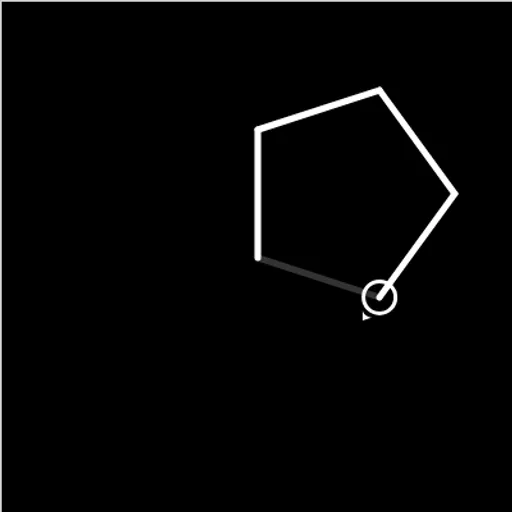
Block Code Turtle Art hands you a pen in the shape of a turtle that draws exactly what your program says. Drawn as a little circle with a pointer, it waits on a black canvas and trails a white line wherever it goes. The goal is to copy each gray outline using blocks, and loops make it far easier.
How Block Code Turtle Art Works
Every level gives a pale outline plus a one-line goal, such as drawing a square. Choose blocks from the category list, click them together and hit Run Program. A slider controls how fast the turtle works.
Cover the outline correctly and you pass, with the JavaScript version of your stack on display. Miss it and you press Reset, tweak a value or swap block order, then try once more.
Goals build gradually: a square, a pentagon, stars, a block of four stars, yellow stars, a full moon built from 360 lines, and a crescent. Level 10 is open drawing with extra tools.
Your First Few Minutes
- Read the goal and look at the gray outline.
- Drag a move block and a turn block into the workspace.
- Wrap them in a repeat block and set the count.
- Press Run Program and compare your lines with the outline.
- Change the angle or length if it does not line up, then try again.
Controls for Block Code Turtle Art
| To do this | Mouse | Touch screen |
|---|---|---|
| Open a block category | Click Turtle, Loops or another category name | Tap the category name |
| Build the program | Drag blocks into the workspace and snap them together | Drag blocks with your finger |
| Change a distance, angle or color | Click the value on a block and pick a new one | Tap the value and pick a new one |
| Run or clear the drawing | Click Run Program, then Reset | Tap Run Program, then Reset |
| Change drawing speed | Drag the slider between the turtle and rabbit icons | Slide the speed control |
What It Trains
Geometry sits at the center of every level. You work out turn angles, like 90 degrees for a square or 144 for a five-point star, and see how they add up to full turns.
It also builds coding skill. You replace long lists of steps with loops, then nest one loop inside another to repeat a whole shape.
Strategy Notes
- Use the full-turn rule. Turns that total 360 degrees bring the turtle back to its starting heading.
- Stars need sharper turns. A five-point star turns 144 degrees and crosses itself.
- Lift the pen to reposition. Pen up moves the turtle without leaving a line.
- Nest loops for patterns. An inner loop makes one star, and an outer loop places it again.
- Slow down to debug. A slower turtle reveals the exact bad line.
Good to Know
Fingers can drag blocks, but the canvas and workspace need room side by side, so a sideways tablet beats a phone. Pen blocks control color and line width.