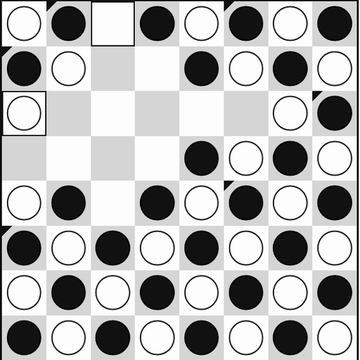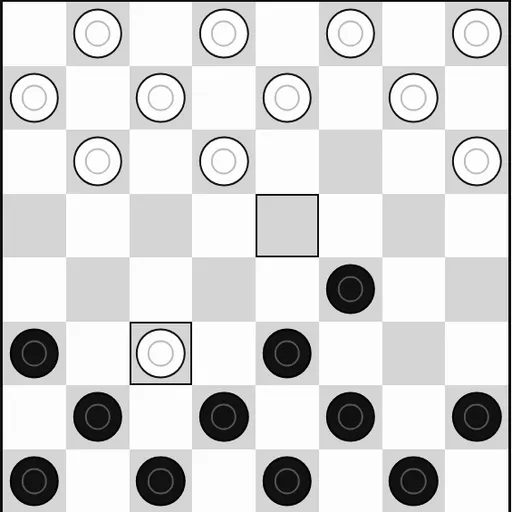
Checkers is the timeless board game of diagonal moves and jumps, played here on an 8x8 board. Each side begins with 12 pieces on the dark squares. You win by capturing all of your rival’s pieces or leaving them with no legal move.
How Checkers Works
Black moves first. A regular piece steps one square diagonally forward and never backward. To capture, hop over an enemy piece next to you into the empty square beyond it. If another hop is possible from the landing spot, the chain continues in the same turn, and you just tap the final square.
Captures are mandatory. Whenever a jump exists, the game will not accept a quiet move. If two capture routes end on the same square, it asks you to tap the piece you mean to jump.
A piece that reaches the far row becomes a king and can then move and capture backward too. Against the computer, you choose to play black or white before the game starts.
Your First Few Minutes
- Choose “vs Computer”, pick a color, set the level to Easy and start a new game.
- Push a center piece first, since it has two forward squares to use.
- Leave your back row alone so the computer cannot crown easily.
- When a jump appears, take it, because the game requires it.
- Use Undo after a bad trade and try another move.
Controls for Checkers
| To do this | Keyboard | Mouse | Touch screen |
|---|---|---|---|
| Move a piece | Arrow keys to reach a square, Enter to pick it | Click your piece, then the square it should land on | Tap your piece, then the landing square |
| Pick a game mode | not used | Click "2 Player (local)" or "vs Computer" | Tap "2 Player (local)" or "vs Computer" |
| Start a game against the computer | not used | Choose a color and level, then click "New game" | Choose a color and level, then tap "New game" |
| Take back your last move | not used | Click "Undo" | Tap "Undo" |
| Show the mode buttons during a game | not used | Click "Menu" | Tap "Menu" |
What It Trains
Checkers trains planning. Because jumps are forced, you can predict your opponent’s reply and set a trap where their capture opens a double jump for you.
It also builds focus. One loose piece can cost a chain of captures, so you scan the board for threats before every move.
Strategy Notes
- Protect the home row. An untouched back row denies early kings.
- Use forced captures as bait. Offer a piece when the required jump lands the enemy in your double jump.
- Hold the middle. Central pieces have more options than edge pieces.
- Travel in pairs. A piece backed up diagonally cannot be jumped from that direction.
- Crown late-game kings. With fewer pieces left, backward movement wins most endings.
Good to Know
Checkers fits phones well in portrait and works with mouse, touch or keyboard. Your game in progress is saved and returns after a reload. Settings cover text size, high contrast, spacing and computer speed. It comes from Christopher Müller’s open-source PaperGames collection.