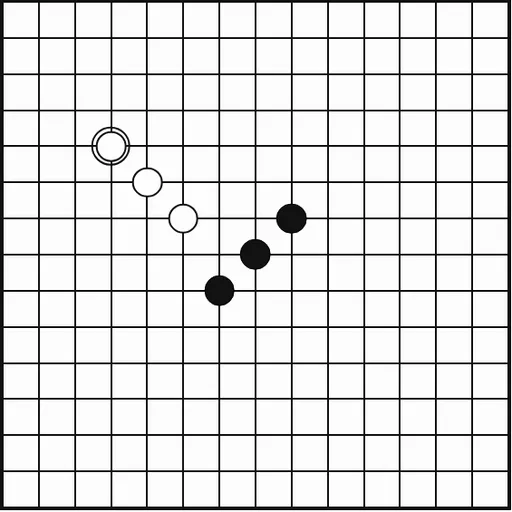
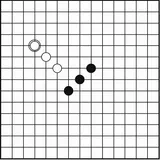
Gomoku is a two-player stone game with one goal: make five in a row before your opponent does. You place stones on the crossings of a 15x15 grid, and they never move or leave. The rules are quick to learn, but blocking and building at the same time gets tricky fast.
How Gomoku Works
Black opens the game, and then each player adds one stone per turn to any empty point. A stone stays where you put it for the rest of the game, so the board only fills up.
You win the moment you have five or more of your own stones in an unbroken line. The line can go across, up and down, or along either diagonal. If the whole board fills with no such line, it is a draw.
You can face the computer at Easy, Medium or Hard, choosing black to go first or white to reply. Or pick the local two-player mode and pass the device. A status line above the board says whose turn it is.
Your First Few Minutes
- Pick “vs Computer”, take black and choose Easy.
- Put your first stone near the center of the grid.
- Build lines of two and three with both ends open.
- Each turn, check whether the computer has an open three to block.
- Look for one stone that makes two threats at once.
Controls for Gomoku
| To do this | Keyboard | Mouse | Touch screen |
|---|---|---|---|
| Place a stone | Arrow keys to move between points, Enter to place | Click an empty intersection | Tap an empty intersection |
| Start a two-player game | not used | Click "2 Player (local)" | Tap "2 Player (local)" |
| Start a game against the computer | not used | Click "vs Computer", pick a color and level, then click "New game" | Tap "vs Computer", pick a color and level, then tap "New game" |
| Take back your last stone | not used | Click "Undo" | Tap "Undo" |
| Give up the current game | not used | Click "Resign" | Tap "Resign" |
What It Trains
Every turn has two jobs: grow your own lines and spot the other player’s. You scan four directions around each new stone and count how many points a line needs, which builds pattern spotting and planning a few moves ahead.
Strategy Notes
- Prize open ends. Three in a row with both ends free beats four that is capped on one side.
- Set up a fork. A stone that makes two threats at once can only be blocked once.
- Stop open threes right away. Left alone, they turn into fours with two winning points.
- Play near the middle. Central lines have room to stretch in every direction.
- Leave hidden gaps. A broken line with one empty point is easy to miss and can still finish five.
- Take black on Hard. Moving first helps a lot under freestyle rules.
Good to Know
The board fits phones in portrait, and mouse, touch and keyboard all work. There is no sound. Your game in progress is saved in your browser, and Resign or New game asks before ending a game. It comes from Christopher Müller’s PaperGames collection.