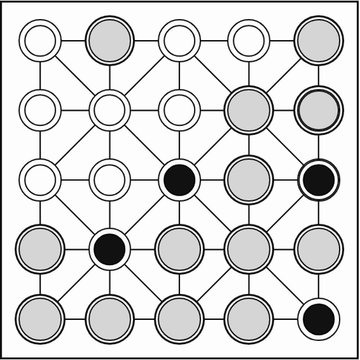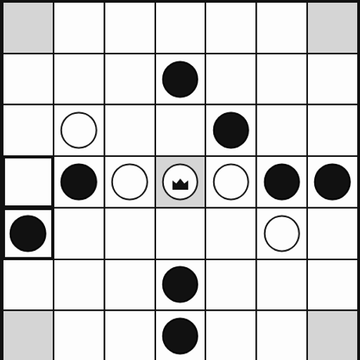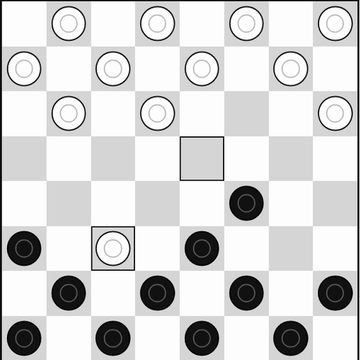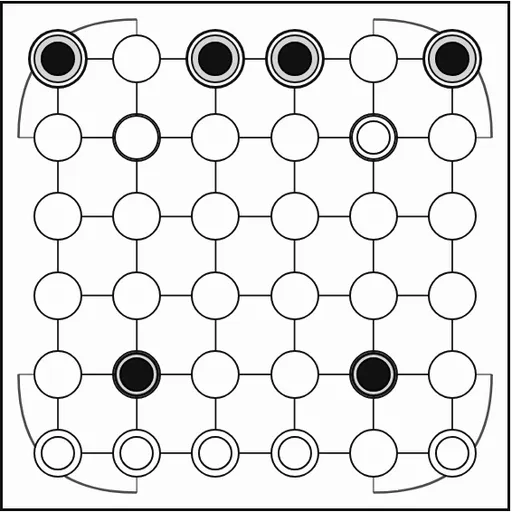
Surakarta is a two-player capture game from Java, named after a city on that island. This simplified version is played on a 6x6 grid with curved tracks bending around each corner. Your goal is to wipe out the other side’s 12 stones, and the only way to capture is to send a stone around one of those curves.
How Surakarta Works
On your turn you choose one of two moves. A quiet step shifts one of your stones to an empty point next to it, in any of eight directions. A step never captures anything, even if it lands beside an enemy.
The other move is a loop slide. It runs only along the second or fifth row or column. When the stone hits the board edge, the corner arc swings it onto the connecting line, and it keeps traveling. Once it has passed through at least one arc, it takes the first enemy stone in its path. In this version, other stones along the way do not block the slide.
Captures are never forced. When you select a stone, the game highlights every enemy it can reach, which makes the loops much easier to read.
Your First Few Minutes
- Click “vs Computer”, pick a color and the Easy level, then start a new game.
- Notice which of your stones sit on the second and fifth lines, since only those can attack or be attacked.
- Click a stone on a loop line and see which enemies light up.
- Take a free capture if one appears, or step a stone to safety.
- Use Undo to replay a move and trace the loop path again.
Controls for Surakarta
| To do this | Keyboard | Mouse | Touch screen |
|---|---|---|---|
| Step a stone | Arrow keys and Enter to pick the stone, then the empty point | Click your stone, then an empty neighboring point | Tap your stone, then an empty neighboring point |
| Capture along a loop | not used | Click your stone, then the highlighted enemy stone it can reach | Tap your stone, then the highlighted enemy stone it can reach |
| Start a game against the computer | not used | Click "vs Computer", pick black or white and a level, then click "New game" | Tap "vs Computer", pick black or white and a level, then tap "New game" |
| Take back a move | not used | Click "Undo" | Tap "Undo" |
What It Trains
Surakarta asks you to see around corners. You trace a path along a row, through an arc and down a column, often across the whole board. Good play means checking both your threats and your opponent’s threats every turn, then planning a quiet step that sets up a capture next time.
Strategy Notes
- Know the four danger lines. Stones on the second and fifth rows and columns are exposed to loop attacks.
- Step off a loop line to hide. The other lines cannot be reached by any capture.
- Look before every quiet step. Moving onto a loop line can give your opponent a free target.
- Strike first in a standoff. When both sides have captures ready, taking yours first often wins the trade.
- Skip a capture if it leaves you open. Since capturing is optional, a quiet setup move is sometimes stronger.
Good to Know
You can play a friend on one device or the computer at three levels, and the game in progress is saved. It works with a mouse, a keyboard or touch. Surakarta comes from Christopher Müller’s open-source PaperGames collection, and no sound plays.