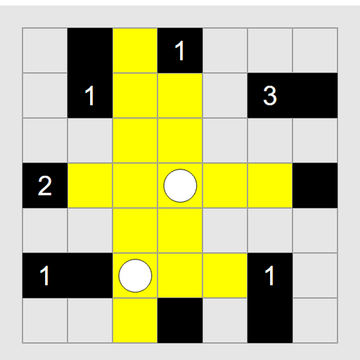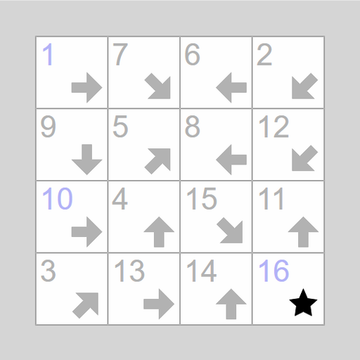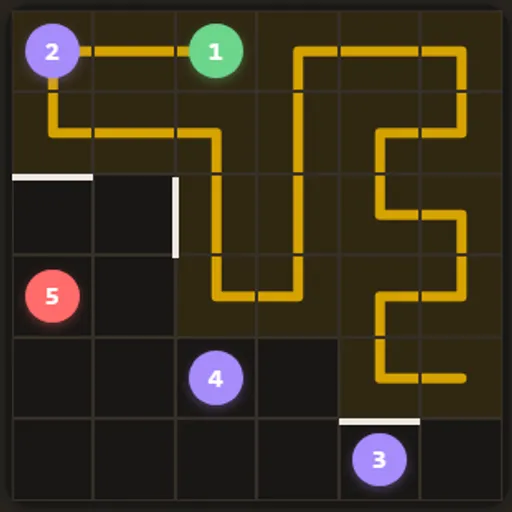
Number Path is a single-line puzzle on a small square grid. A few cells contain numbered dots, and you draw one path that begins at 1, visits each number in order and stops on the highest. The twist is that your path must pass through every cell on the board exactly once.
How Number Path Works
Your path starts on the green dot labeled 1. Drag across neighboring cells to extend it, moving only up, down, left or right. If you prefer, tap cells one at a time, and each tap adds the next cell to the end of the path.
The numbers must come in order. Skipping ahead, jumping to a cell that does not touch the end of your path, or crossing one of the thick wall bars is not allowed. Walls show up only on the medium and hard boards.
You win when the path has covered the entire grid and finishes on the red dot holding the last number. A message then shows your solve time. Every board is generated in your browser around a real answer, so a full path always exists, and some boards have more than one.
Your First Few Minutes
- Pick the easy 5x5 size.
- Find the green 1 and the red final number, and note where they sit.
- Look at the corner cells, which have only two neighbors each.
- Drag a path toward 2, making sure no group of empty cells gets cut off.
- Keep going in order until every cell is filled and you end on the red dot.
Controls for Number Path
| To do this | Mouse | Touch screen |
|---|---|---|
| Draw the path | Press on 1 and drag through the squares | Touch 1 and slide through the squares |
| Extend the path one square at a time | Click the next square | Tap the next square |
| Cut the path back to a square | Click a square already on the path | Tap a square already on the path |
| Remove the last square or clear the path | Click "undo" or "reset" | Tap "undo" or "reset" |
| Change size or get a new board | Click Easy, Med or Hard, or "new" | Tap Easy, Med or Hard, or "new" |
What It Trains
Number Path is a logic workout. Each move closes off some routes, and you reason about which cells can still be reached before you commit.
It also builds spatial planning. You picture how a route snakes through the grid, especially near walls and corners, and see a few steps ahead where the path must go.
Strategy Notes
- Mind the corners. With only two neighbors, a corner cell usually forces the path in one side and out the other.
- Never trap empty cells. If a pocket gets sealed off, you cannot come back for it.
- Treat walls as clues. Each blocked edge removes an option and often forces the route nearby.
- Plan the finish. Work out how the last few cells lead into the red dot.
- Trim, do not restart. Tap an earlier cell on your path to cut back to it.
Good to Know
Number Path works well with a finger, and the grid shrinks to fit narrow screens. It comes from Tejas Wavde’s open-source puzzle collection, and we sped up its board builder.