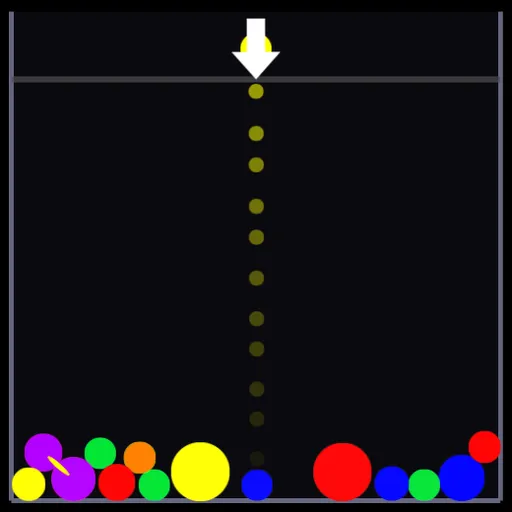
Complements is a physics puzzle built around opposite colors. Round gems tumble into a tall well and stack up, and you add more from a launcher at the top. Your goal is to clear every gem from the well before the pile rises past the line.
How Complements Works
Matching colors glue to each other and form jiggly clumps. Bring a clump into contact with its opposite hue and everything bonded to it breaks apart. Red opposes green, orange opposes blue, and yellow opposes purple. Black and white are treated as their own special pair.
A few gems behave differently. Clear ones copy whatever color they bump into. White ones smash everything they meet. Black ones sit in the way and only disappear when a chain of breaks spreads into them.
Each break adds charge to a meter. Spend it to rattle the well, which tosses gems up and to one side, alternating sides each use.
Your First Few Minutes
- Choose PLAY and then EASY.
- Check the dotted line that shows where the loaded gem will go.
- Hold to charge, watch the size change, and release.
- Aim the gem at its opposite color to trigger a break.
- Shake the pile when gems stack close to the line.
Controls for Complements
| To do this | Keyboard | Mouse | Touch screen |
|---|---|---|---|
| Aim the launcher | Left and Right arrows (turn off MOUSE AIM in OPTIONS) | Move the pointer | Drag a finger |
| Grow and fire a gem | Hold Space or Down arrow, release to fire | Hold the left button, release to fire | Hold, then lift your finger |
| Shake the pile | Up arrow or W | Right click | not used |
| Pause | Esc | not used | not used |
What It Trains
Complements trains spatial judgment. You predict how a round gem will roll and settle in a moving pile before you fire it.
It also builds strategy. You grow a large single-color cluster first, then break it all at once with its opposite.
Strategy Notes
- Grow clusters, then break. A break travels through every bonded gem.
- Use clear gems on big groups. They can connect a cluster straight to its opposite.
- Pick size for the job. Small gems for accuracy, large ones to shove the pile.
- Shake when it is tall. Spreading the pile lowers it and buys time.
- Plan for the next gem. Leave a useful target for the shot that follows.
Good to Know
Complements works with mouse, keyboard or touch, though the right-click shake has no touch control listed. The ABOUT screen repeats the color pairs. Options cover trajectory preview, screen shake, mouse aim and volume. Frank Force made it for his open-source LittleJS Arcade.