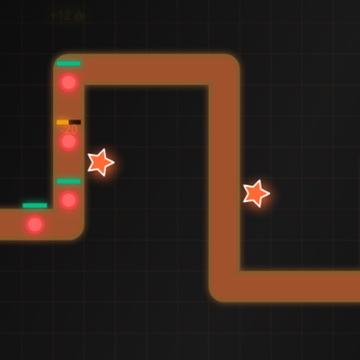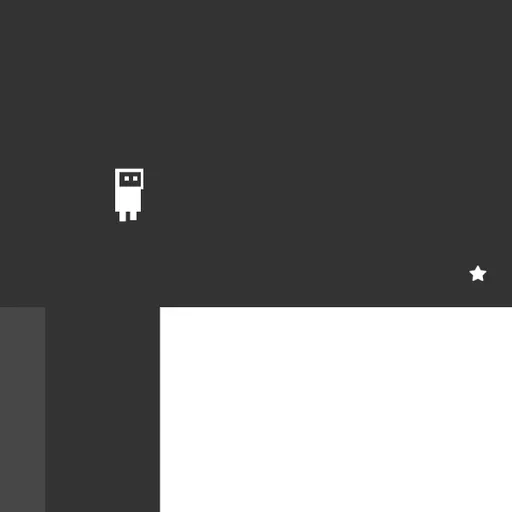
OnOff is a puzzle platformer built around a single switch. Its world has two layers of blocks, a dark set and a light set, and only one of them is solid at any moment. You flip between them with one key while guiding a small robot to the star on each screen. It was a 2018 entry to the js13k game jam by Brad Dunbar and Daniel Marino.
How OnOff Works
Every level hides a star. Run and jump to it, and a new stage loads at once. After the 25th stage you reach a congrats screen.
The switch is the whole puzzle. Only the current color counts as ground; the other color shows as a ghostly outline you pass right through. Hit Space and they swap. So a gap too wide to clear may hide a ledge in the second color, and a barrier ahead can disappear after one press.
The robot shatters if it drops out of the screen, hits live spikes, or overlaps a block at the moment it turns solid. Then the level restarts.
Your First Few Minutes
- Pick Start Game from the title menu and look at both layers on the first screen.
- Walk and jump toward the star to feel how high the jump goes.
- Try a flip while standing in open space to see which blocks appear.
- Jump, then switch layers in mid-air to land on a ledge from the other set.
- Before every switch, check that no block will appear where the robot stands.
Controls for OnOff
| To do this | Keyboard | Mouse |
|---|---|---|
| Move left or right | A / D or Left / Right arrows | not used |
| Jump | W or Up arrow | not used |
| Switch platform layer | Space | not used |
| Pick a menu item | Up / Down arrows, then Enter | not used |
| Leave a custom level | Escape | not used |
| Place and edit pieces in the editor | P adds a platform, S + U/D/L/R adds spikes, G tests the level | Drag to move or resize, double-click to change layer, Shift + click to delete |
What It Trains
OnOff rewards reflexes, since many flips happen while you are airborne. It also trains spatial thinking: you read two overlapping maps at once and picture which shapes turn solid after each switch.
There is logic too. Later levels ask you to plan a sequence of flips, such as dropping through a floor and catching the one below.
Strategy Notes
- Switch at the peak. Flipping while airborne is fine as long as your spot stays empty, so leave the ground first.
- Plan both layers. Trace a route across both sets of blocks before you take a step.
- Fall on purpose. Flip to make a floor disappear, then flip back to land on a lower one.
- Use harmless spikes. Ghost-colored spikes do no harm, so one press can turn a deadly row into a walkway.
- Take off from the edge. The hop never changes height or length, so leave from the very lip of a drop.
Good to Know
Its own soundtrack and effects begin once you press a key or click. It uses crisp SVG graphics and needs a keyboard or gamepad.