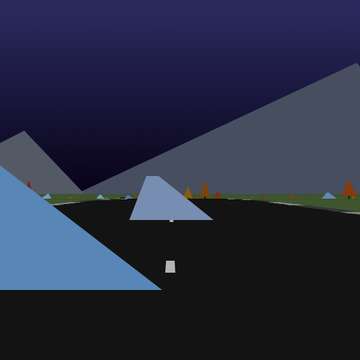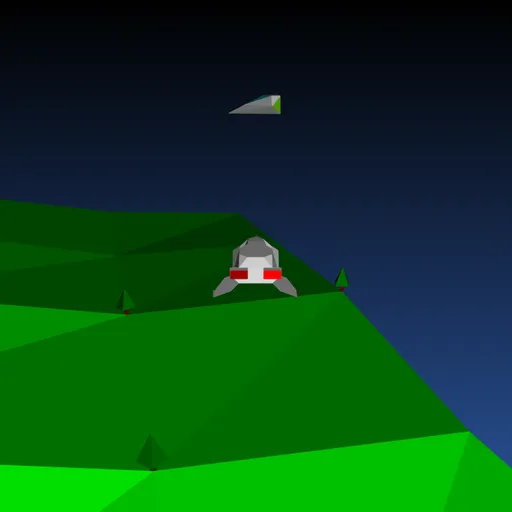
Backspace: Return to Figadore is a 3D flying game drawn in clean vector lines. You fly Jade’s starship over the green hills of planet Figadore while an alien sickness spreads between ships. Your missiles heal instead of destroy, and the goal is to cure every red ship before the whole fleet is infected.
How Backspace: Return to Figadore Works
Your ship always moves forward. Up speeds you up, Down slows you and lets you drift back, and Left and Right turn with a lean. Sliding the mouse sideways shifts the ship left or right without changing your heading.
Each level starts with half the ships infected and shown in red. After a few calm seconds, a red ship that gets close to a gray one passes the infection along. Healthy ships try to steer away, but they do not always escape.
Press Space or Enter to launch a spinning cure missile straight ahead. A missile that passes near a red ship turns it gray and adds one point. Cure all red ships to clear the level. If every ship turns red, a FAILED screen appears and you start over at level 1.
Your First Few Minutes
- Press any key on the title screen to take off.
- Practice turning and speeding up while you look for red ships.
- Head for the nearest red ship right away, before the spread begins.
- Use the mouse to slide sideways and put the target straight ahead.
- Fire, then check the bar on the right to see how much of the fleet is red.
Controls for Backspace: Return to Figadore
| To do this | Keyboard | Mouse |
|---|---|---|
| Start the game, or return to the title after it ends | Any key (Space or Enter) | not used |
| Turn left or right | Left/Right arrows, A/D or Z/X | not used |
| Speed up | Up arrow, W or ; | not used |
| Slow down and drift back | Down arrow, S or . | not used |
| Fire a cure missile | Space or Enter | not used |
| Slide sideways | not used | Move the mouse left or right |
What It Trains
Flying here is a test of spatial sense. You judge distance and angle in 3D, then line up a shot that has to pass near a moving ship.
It also demands quick focus. You keep track of which red ships are close to healthy ones and pick the cure that stops the most spreading.
Strategy Notes
- Act during the grace period. Infection does not spread in the first seconds, so strike fast.
- Hit sick ships near healthy ones. One red ship in a group can infect several more.
- Slide, do not turn. The mouse lets you aim without losing your course.
- Pace your shots. Five missiles can fly at once, so short bursts keep one ready.
- Read the red bar. When it grows, stop roaming and cure the closest targets.
Good to Know
You need a keyboard to play, so it is not suited to tablets or phones. Sound effects are made in the browser. Jasper Renow-Clarke built it, including its own SVG 3D engine, for the 2019 js13k contest, and it is shared under the MIT license.