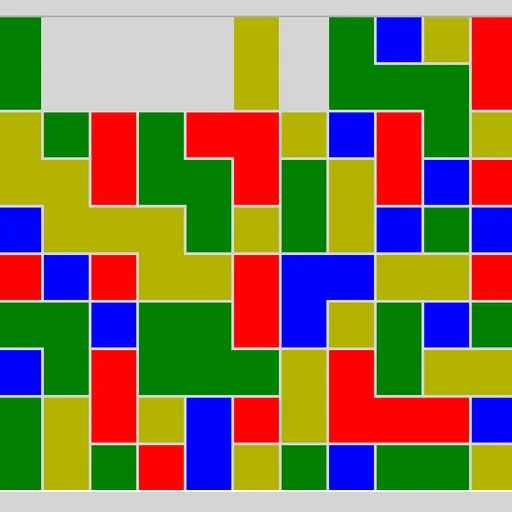
Same Game Blocks is a calm clearing puzzle played on a box of colored squares. You remove groups of two or more same-colored squares that touch along an edge, and the rest fall to fill the space. The goal is to empty the whole board, and the bigger each group, the more points it earns.
How Same Game Blocks Works
Click a square to highlight its connected group. The status bar shows the group size and its score before you commit. Click the same group again to remove it, or choose another to change your mind. A lone square can never be removed by itself.
After a removal, squares that sat above the gap drop straight down. If a full column empties, the columns on its right slide left to close it up. Every board is built to have at least one full solution, unless you turn that option off under Custom.
The opening board is 5x5 with three colors. The Type menu goes up to 20x15 with four colors, and Custom lets you set size, colors and scoring.
Your First Few Minutes
- Start with the small default board.
- Click a few groups to compare the scores the status bar shows.
- Remove a group near the bottom and watch how the squares above settle.
- Try to leave one color alone so it gathers into a larger patch.
- Use undo if you strand a single square, then try another order.
Controls for Same Game Blocks
| To do this | Keyboard | Mouse | Touch screen |
|---|---|---|---|
| Select a group | Arrow keys to move the cursor, then Space or Enter | Left-click a square in the group | Tap a square in the group |
| Remove the selected group | Space or Enter again | Left-click the selected group again | Tap the selected group again |
| Cancel the selection | not used | Right-click the selected group | Press and hold the selected group |
| Undo, redo, new board | U / R / N | Undo move, Redo move and New game buttons | Undo move, Redo move and New game buttons |
What It Trains
Same Game Blocks rewards looking a few moves ahead. Before each click, you picture where the squares above will land and whether two patches of the same color will meet. That is spatial planning in a simple form.
There is also scoring strategy. Because points grow with the square of the group size, you learn to delay clearing a color until it has grown big.
Strategy Notes
- Feed one color. Clear the colors around a scattered one so its pieces drop together into a single large group.
- Start low. Removing groups near the bottom shifts everything above and often joins separate patches.
- Guard the last few of a color. If one square gets cut off, the board can no longer be fully cleared.
- Use pairs as tools. They score zero under the standard rule, so spend them to reshape the board.
- Check before you click twice. The preview shows the score, so compare a few options first.
Good to Know
There is no timer, so you can play at your own pace, and a small board takes just a minute or two. It works with mouse, keyboard or touch, where pressing and holding cancels a selection. James Harvey wrote it for Simon Tatham’s Portable Puzzle Collection, and we renamed it for this site.